How to Create a CV on Your Phone in Nigeria – Start for Free (2026 Guide)
Learn how to quickly create a professional CV on your phone in Nigeria for free. Step-by-step guide with tips, examples, and AI-powered tools you can start using today.

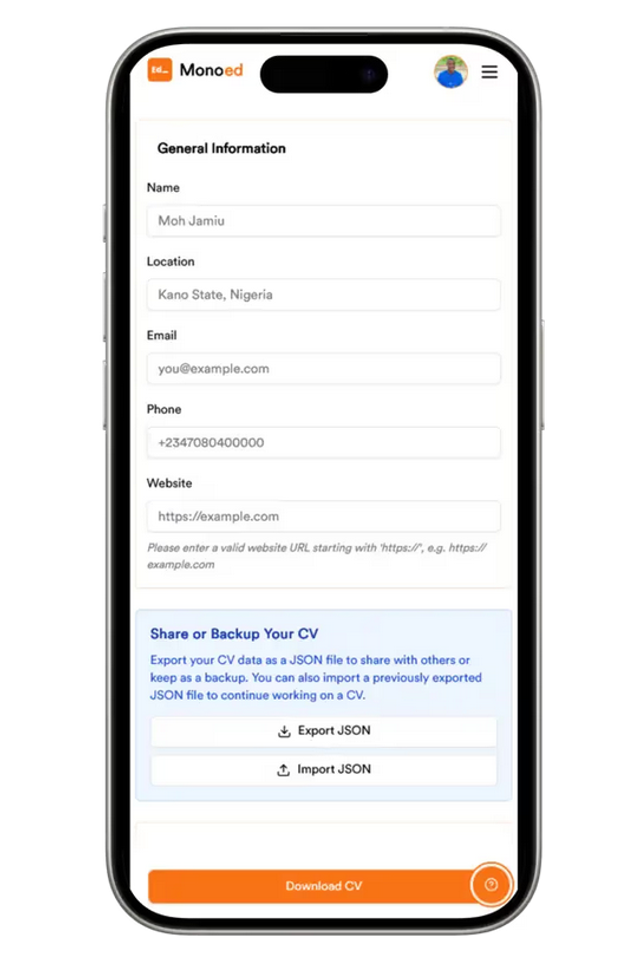
Finding a job in Nigeria is competitive, and your CV is often the first thing an employer sees. The challenge? Not everyone has a laptop or Microsoft Word. The good news is you don’t need one. You can create a professional CV right from your phone—starting for free.
This guide shows you two practical ways to build a job-ready CV on your phone:
- a fast, AI-powered CV builder that handles formatting for you, or
- a DIY method using free apps like Google Docs if you prefer typing everything yourself.
Why Create a CV on Your Phone?
- It’s convenient: Your phone is always with you, so you can update your CV anytime.
- It’s fast: With a tool like MonoEd CV Maker, you can go from blank screen to a polished CV in minutes.
- AI-powered help: Stuck writing your achievements? Just hit “Refine with AI” and the tool will polish your words into professional, recruiter-ready bullet points.
- It works for recruiters: Many Nigerian employers open CVs on their own phones, so a mobile-friendly format gives you an advantage.
Step-by-Step: Creating Your CV on Your Phone
Step 1: Choose Your CV Creation Method
Option #1: Use a CV Builder (Fast & Easiest)
The quickest way is with a mobile-friendly CV builder.
A tool like MonoEd CV Maker is designed for Nigerian job seekers and works smoothly on phones.
Just fill in your details, let the AI refine tricky sections (like achievements or a professional summary), and export to PDF.
No formatting stress, and new users get 2 free PDF downloads to start.
Why it’s great:
- Clean, recruiter-ready templates built for Nigerian employers.
- AI suggestions to polish your wording into professional bullet points.
- Instant PDF export that works perfectly on both phones and computers.
Option #2: Use a Word-Processing App (DIY Method)
Prefer to type everything yourself? You can still create a solid CV directly on your phone.
- Install a Word App
Download Google Docs (free) or Microsoft Word (paid) from the App Store or Play Store. - Pick a Template
Start with a CV template to avoid layout and font headaches. - Write Your CV
Include your name and contact info at the top, followed by your personal statement, education, work experience, skills, and optional hobbies/interests. - Proofread Carefully
Typing on a small screen makes typos easy. Double-check spelling, dates, and contact details. - Use a Clear Filename
Save as something like Firstname-Lastname-CV.pdf so recruiters can identify it quickly.
💡 Pro Tip: Even if you use Google Docs or Word, export your CV as a PDF before sending—it preserves formatting and looks more professional.
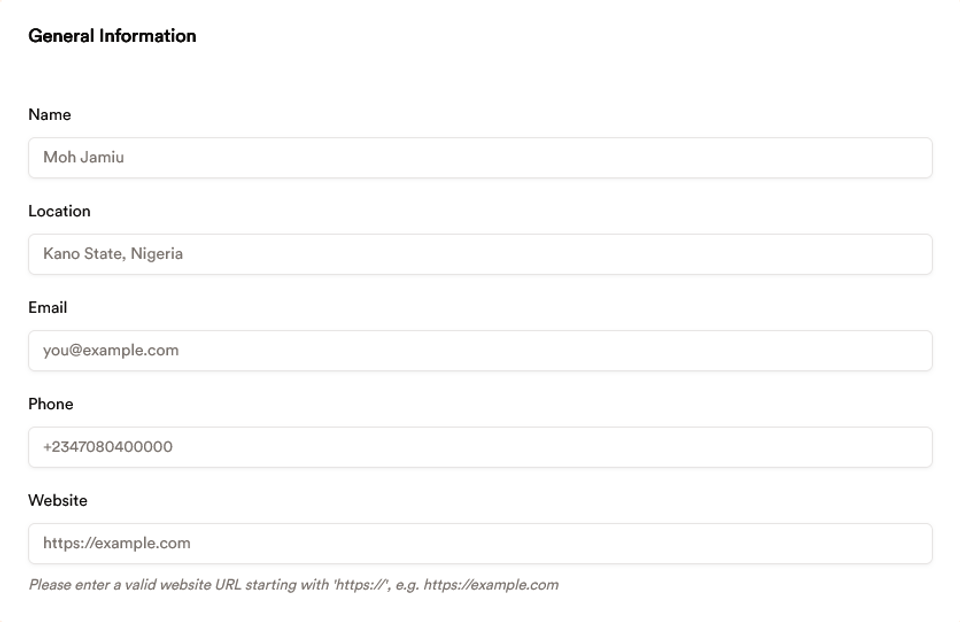
Step 2: Fill in Your Personal Information
Start with your:
- Full name
- Phone number
- Professional email address
- Location (City, State)
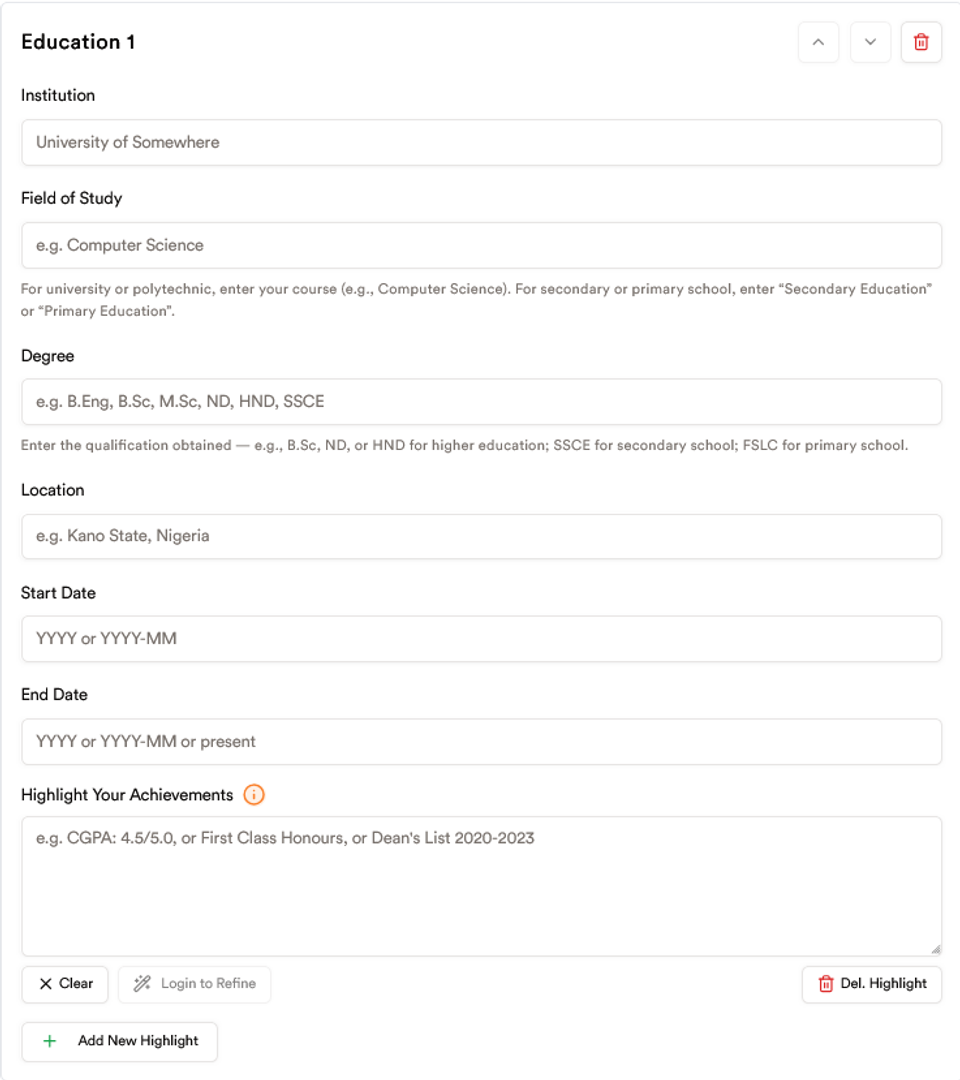
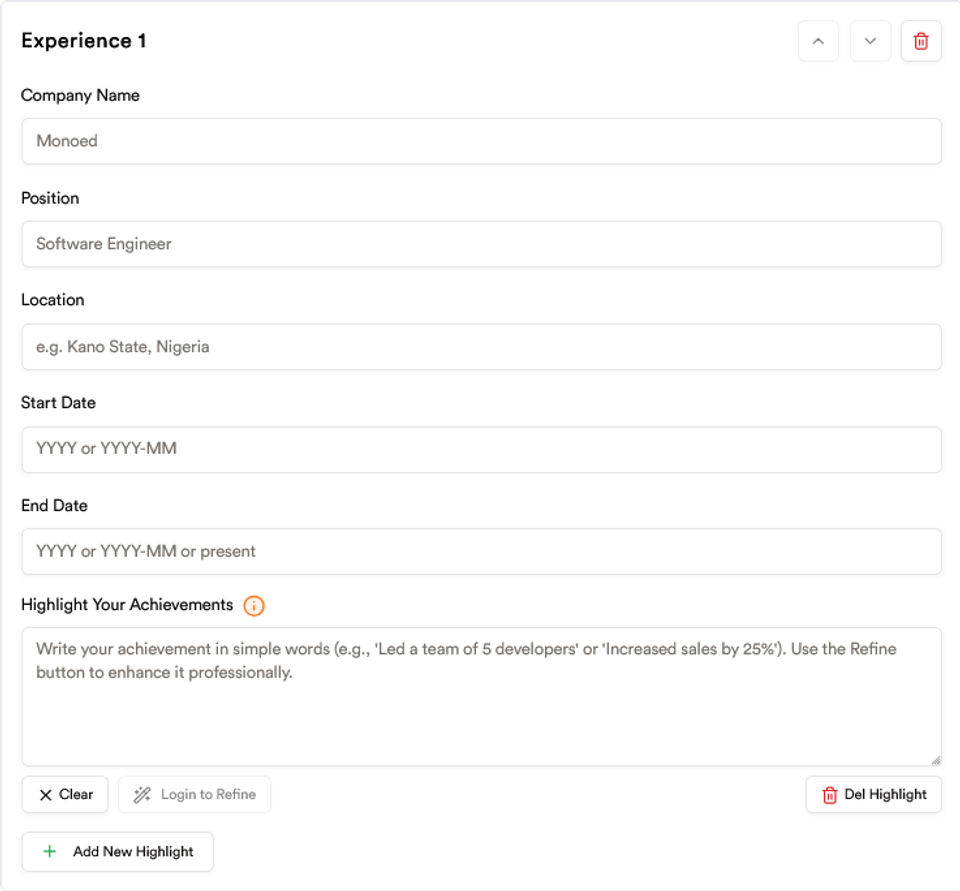
Step 3: Add Your Education and Work Experience
- Education: Include your school, degree, and graduation year.
- Work experience: Start with your most recent role. Focus on achievements instead of just listing duties.
If you’re not sure how to phrase your achievements, just type them simply and tap “Refine with AI” inside MonoEd CV Maker. The tool will rewrite them into professional, impactful bullet points that employers will take seriously.
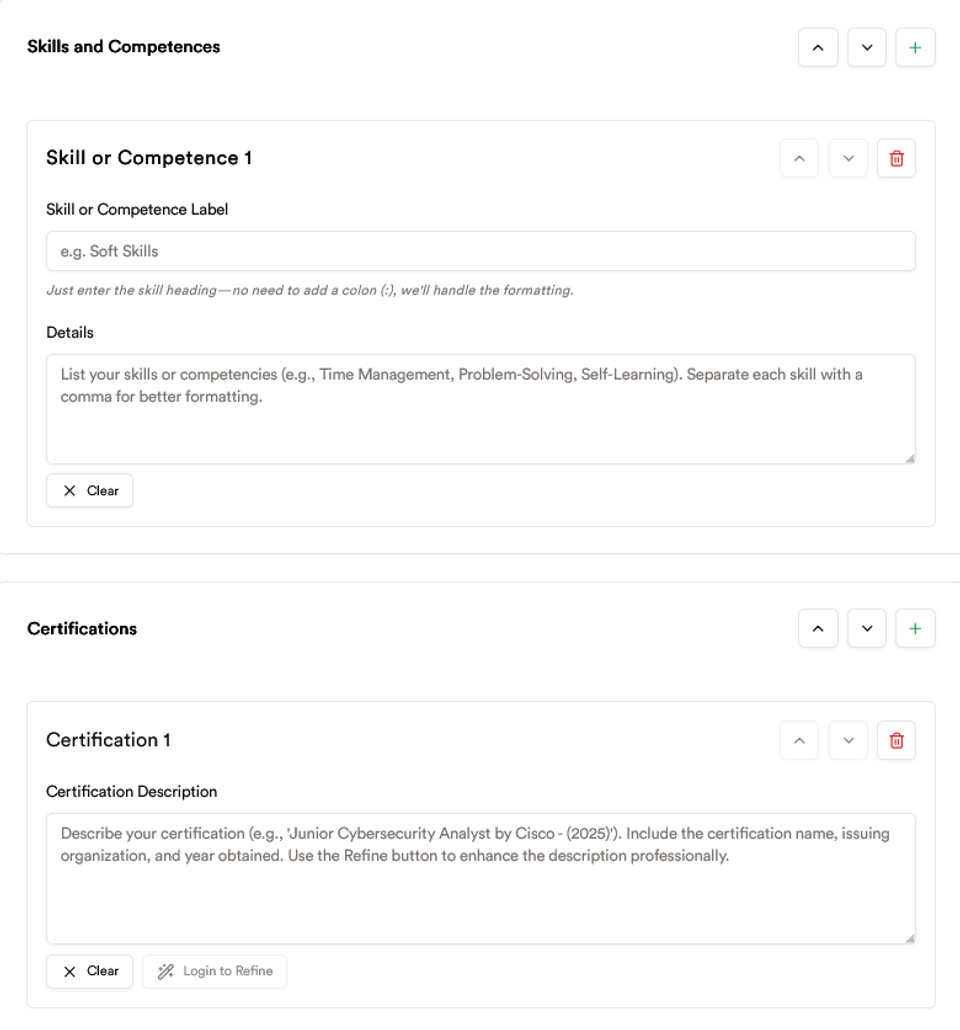
Step 4: Showcase Your Skills and Certifications
Employers want to quickly see what you can do. MonoEd CV Maker gives you clean sections to highlight:
- Technical skills: Excel, coding, digital marketing
- Soft skills: Leadership, teamwork, problem-solving
- Certifications: Google Digital Skills, CISCO, Microsoft
And if your skills list looks messy or too casual, hit “Refine with AI” — it will clean up your wording and present your skills professionally.
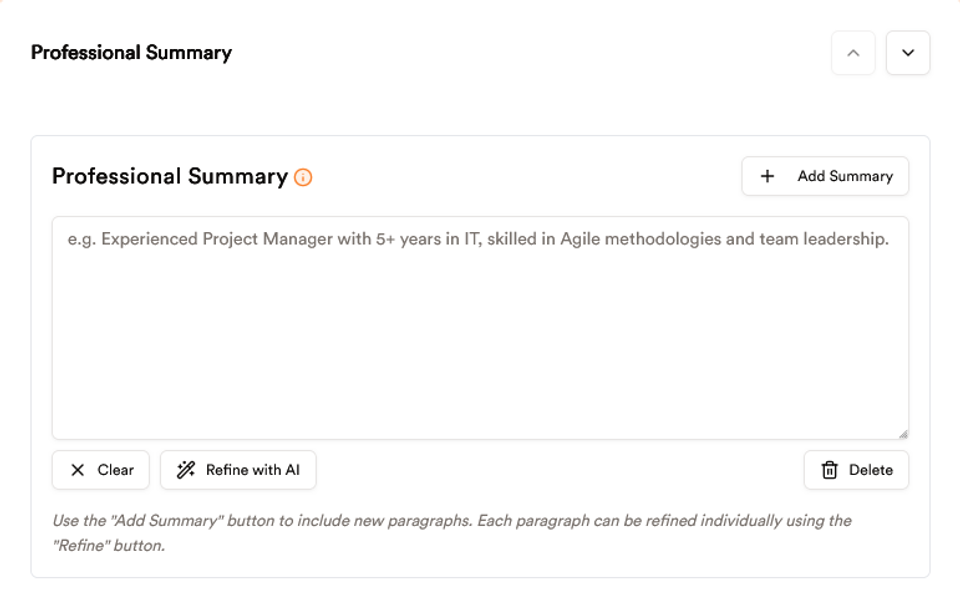
Step 5: Write a Short Professional Summary
This is a short introduction that tells recruiters who you are. Keep it 3–4 sentences max. Example:
Accounting graduate with internship experience in financial reporting. Skilled in Excel and QuickBooks, eager to apply strong analytical skills in a finance role.
If you struggle to write one, just draft a quick version in your own words and then click “Refine with AI.” MonoEd CV Maker will instantly polish your summary into a confident, professional statement.
Step 6: Export or Share Your CV
When you finish building your CV on MonoEd CV Maker, you have two export options:
- Download as PDF (Recommended):
- This is the version you’ll send to employers.
- New users get 2 free credits to download CVs in PDF format.
- After that, you can unlock more downloads at an affordable rate.
- Share or Backup as JSON:
- Export your CV data as a JSON file to keep a backup.
- You can also import this JSON file later if you want to continue editing your CV or share it with someone else who uses MonoEd.
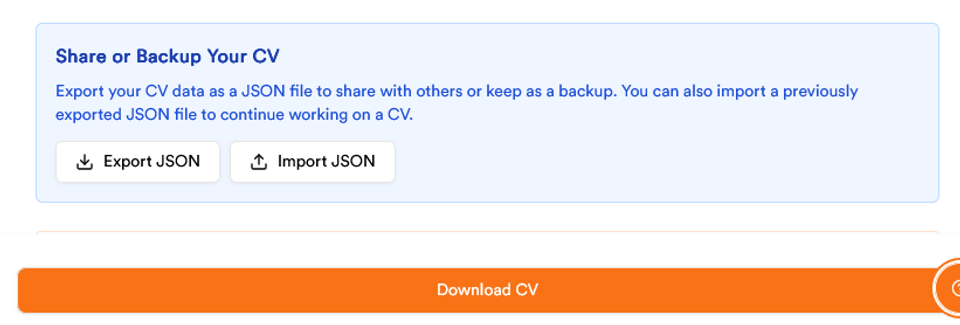
💡 Pro tip: Always download a PDF version to apply for jobs, but also keep a JSON backup just in case you want to modify later.
FAQs
Q1. Can I really create a professional CV on my phone?
Yes. With MonoEd CV Maker, you can create, edit, and export a job-ready CV right from your phone. No laptop or Microsoft Word required.
Q2. Is MonoEd free to use?
Yes. When you sign up, you get 2 free credits to download your CV in PDF format. That means you can build your CV and download up to two polished PDFs without paying anything. After your free credits are used, you can get more downloads at a very affordable rate.
Q3. What export options are available?
MonoEd gives you two ways to export your CV:
- PDF Download: The version you’ll actually send to employers.
- JSON Export: A backup file that saves your CV data. You can import it later to keep editing or even share it with someone else using MonoEd.
Q4. Which format should I use when applying for jobs?
Always use PDF. It looks professional, keeps your formatting intact, and is the most accepted format by Nigerian employers.
Q5. What if I don’t know how to write my achievements or a summary?
No problem. Just type your thoughts in simple words and click “Refine with AI.” MonoEd AI powered CV maker will polish your text into professional, recruiter-ready content.
Q6. Do I need internet to use MonoEd?
You can fill in most sections offline, but you’ll need internet when you want to download your CV as a PDF or share it as JSON.
Q7. Can I keep working on my CV later?
Yes. You can always log back in and continue editing. If you export a JSON backup, you can also re-import it anytime to pick up right where you left off.
Q8. Why should I use MonoEd instead of just typing my CV in Word?
MonoEd is designed for job seekers in Nigeria. It takes care of formatting, lets you refine text with AI, and ensures your CV is recruiter-friendly. Plus, you can start for free and export instantly from your phone.
Q9. Can I create a CV on my phone without internet at all?
You can draft and edit your CV offline using apps like Google Docs or Microsoft Word. However, you’ll need internet access to email your CV to employers or to download/export if you’re using an online CV builder like MonoEd.
Q10. What’s the ideal CV length for Nigerian jobs?
For most roles, keep your CV to 1–2 pages. Only academic or research positions require a longer document.
Q11. Can I print my CV directly from my phone?
Yes. If you have access to a Wi-Fi printer or a print shop, simply email or save the PDF to a flash drive or cloud service and print.
About the Author
Mohammad-Jamiu B. Balogun, GMNSE
AI Security Researcher · Founder, MonoEd Africa
Mohammad-Jamiu is a First-Class Telecommunications Engineer and Best Graduating Student (BUK), and an AI security researcher. He founded MonoEd Africa to give Nigerian students AI-powered academic tools — from SIWES logbooks to final year projects. His work has reached over 10,000 students across Nigeria.