How to Fill Your SIWES Logbook as an Accounting or Finance Student (Step-by-Step + Examples)
Learn how to fill your SIWES logbook as an Accounting or Finance student with clear daily and weekly examples. Track tasks, tools, and skills professionally, and get supervisor sign-offs easily.

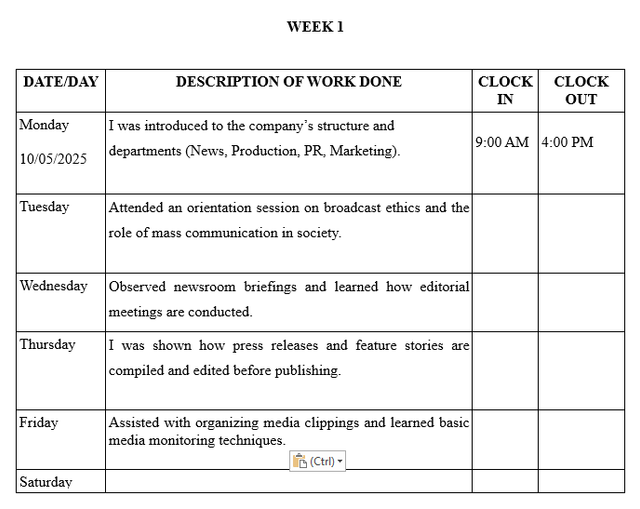
Completing your SIWES logbook can be challenging if you’re unsure what to write each day. As an Accounting or Finance student, your logbook must reflect the tasks you perform, the skills you learn, and the systems or tools you use during your industrial training.
This guide will show you how to write clear, professional logbook entries, with examples for daily activities, tips for weekly summaries, and free tools to save time.
What Is the SIWES Logbook?
The SIWES (Student Industrial Work Experience Scheme) logbook is a daily record of your industrial training, documenting:
- Daily activities and tasks
- Skills learned and knowledge gained
- Tools and systems used
- Weekly summaries
- Supervisor sign-offs
For Accounting and Finance students, your logbook shows exposure to real-world financial processes, including ledger management, bank reconciliation, payroll, tax documentation, and audit procedures.
Where Accounting and Finance Students Can Do SIWES
You can do your SIWES attachment in:
- Banks or microfinance institutions
- Accounting firms or audit companies
- Government ministries or agencies
- Private corporations and NGOs
- Educational institutions with finance departments
Depending on your posting, you may rotate across these departments:
| Department | Tasks/Skills Learned |
|---|---|
| Accounts & Finance | Ledger entries, bank reconciliation, preparing financial statements |
| Audit | Reviewing records, internal checks, compliance tasks |
| Payroll | Calculating staff salaries, deductions, and benefits |
| Tax & Compliance | Preparing tax documents, understanding filing processes |
| General Admin | Filing, reporting, and documentation |
How to Write Your Logbook Entries
When writing your logbook:
- Be action-oriented – use verbs like:
- I learned to…
- I was taught…
- I assisted in…
- I observed…
- I recorded…
- Be specific and clear – detail the task, the tools used, and the purpose.
- Summarize weekly – highlight your overall progress, skills learned, and challenges.
- Get supervisor sign-off – ensure your weekly entries are verified.
- Maintain neatness and consistency – daily entries prevent backlog and errors.
Sample Daily Entries for Accounting/Finance Students
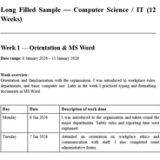
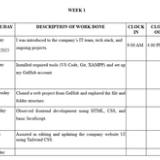
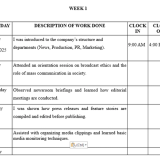
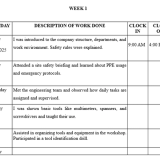
Week 1 – Orientation & Finance Introduction
| Day | Activities |
|---|---|
| Monday | I was introduced to the company structure, reporting lines, and code of conduct. |
| Tuesday | I learned to navigate the company’s accounting software and observed basic ledger entries. |
| Wednesday | I assisted in recording daily transactions into the ledger and reconciling petty cash. |
| Thursday | I learned to reconcile bank statements and identify discrepancies. |
| Friday | I summarized weekly financial activities and submitted them for supervisor review. |
Week 2 – Accounting Operations
| Day | Activities |
|---|---|
| Monday | Assisted in entering supplier invoices and matching them with purchase orders. |
| Tuesday | Learned to calculate payroll and verify staff payment records under supervision. |
| Wednesday | Was taught how to verify receipts and cross-check ledger entries for accuracy. |
| Thursday | Learned to prepare trial balances and contributed to monthly financial reports. |
| Friday | Summarized the week’s tasks and obtained supervisor signatures for validation. |
Week 3 – Audit & Reporting
| Day | Activities |
|---|---|
| Monday | I learned to perform basic audit procedures by reviewing financial records. |
| Tuesday | I assisted in preparing tax documents and learned filing procedures. |
| Wednesday | I was taught to analyze expense reports and identify cost-saving opportunities. |
| Thursday | I learned to reconcile inter-company accounts and report discrepancies. |
| Friday | I summarized the week’s activities and had my logbook signed by the supervisor. |
Tools and Systems You Might Use
| Tool / System | Purpose |
|---|---|
| Microsoft Excel | Ledger entries, payroll, financial statements |
| Accounting Software | Data entry and reconciliation (e.g., QuickBooks, Tally) |
| Filing Cabinet | Storing and retrieving financial records |
| Bank Records | Reconciling accounts and transactions |
| Calculator / Spreadsheets | Calculations and analysis |
Tips for a Professional Accounting/Finance SIWES Logbook
- Fill in the student and organization profile pages accurately.
- Keep daily entries concise but detailed.
- Include tools, software, and systems used for each task.
- Explain the purpose of each activity (e.g., reconciling a bank statement ensures accuracy).
- Get weekly signatures from your industry supervisor.
- Proofread to avoid spelling and grammar mistakes.
- Consider using AI logbook tools like MonoEd SIWES Logbook Generator to save time and ensure professional formatting.
Wrap Up
Filling your SIWES logbook as an Accounting or Finance student doesn’t have to be stressful. Focus on:
- Clear, action-oriented daily entries
- Weekly summaries
- Tools and systems used
- Supervisor sign-offs
With this guide and the right tools, you can maintain a professional, complete, and supervisor-ready logbook while saving hours of work.
Tired of Writing Logbook Entries Every Day?
You’re not alone — most students leave it till the last week and forget the details. That’s why thousands now use this:
✅ Just enter a short weekly summary
✅ Get full Monday–Friday entries instantly
✅ Copy → paste → done
✅ Grammar-checked and industry-focused
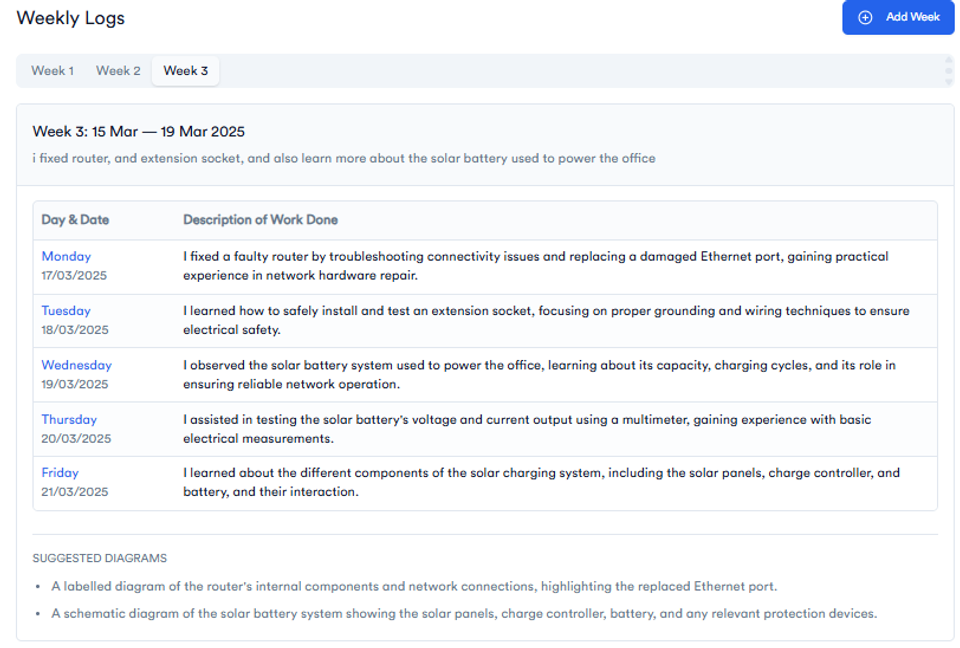
👉 Try It Free – Generate My Logbook Now
FAQs
How do I fill a SIWES logbook for an accounting student?
Complete the personal and company profile pages first. Document daily accounting tasks, tools used, and what you learned. Get supervisor sign-offs weekly.
What should I write for a weekly summary?
Summarize the week’s tasks, key skills learned, and challenges faced. Highlight practical exposure and knowledge gained.
Do accounting students need to include software or tools in the logbook?
Yes. Mention any accounting software, spreadsheets, or tools used for tasks like ledger entries, payroll, reconciliation, or reporting.
Can I use AI to help write my logbook?
Yes. Tools like SIWES Logbook Generator turn short weekly summaries into professional Monday–Friday entries automatically.
How do I ensure my logbook is approved?
Keep entries daily, be honest, clear, and concise. Have your industry supervisor and university supervisor sign weekly.
About the Author
Mohammad-Jamiu B. Balogun, GMNSE
AI Security Researcher · Founder, MonoEd Africa
Mohammad-Jamiu is a First-Class Telecommunications Engineer and Best Graduating Student (BUK), and an AI security researcher. He founded MonoEd Africa to give Nigerian students AI-powered academic tools — from SIWES logbooks to final year projects. His work has reached over 10,000 students across Nigeria.