What to Write in SIWES Logbook When No Work Was Done (With Examples)
No task assigned during SIWES? Learn what to write in your SIWES logbook when no work was done, with safe examples accepted by Nigerian schools.

During SIWES training, there will be days when no actual work is done. This may happen due to registration, power failure, equipment breakdown, public holidays, or simple observation periods.
Many Nigerian students panic on such days and either leave their logbook empty or write fake technical tasks. Both options can cause problems during logbook assessment.
If no work was done on a particular day, this guide explains exactly what to write in your SIWES logbook, what to avoid, and how to keep your entries honest and acceptable.
⚡ SIWES Tools for Students 🔥
Use our free AI-powered tools to make SIWES easier.
SIWES Report Generator — Generate a formatted SIWES report instantly.
https://report.monoed.africa
SIWES Logbook Generator — Create weekly logbook entries in seconds.
https://logbook.monoed.africa
SIWES / IT Placement Finder — Find verified SIWES & IT placement opportunities.
https://siwesfinder.monoed.africa
📙 Final Year Project Tools 🔥
FYP Report Generator — Generate full project chapters and citations.
https://fyp.monoed.africa
Project Topic Generator — Get supervisor-ready project topics instantly.
https://topics.monoed.africa
Why No Work Days Are Normal During SIWES
It is completely normal to have idle or low-activity days during SIWES, especially in:
- The first week of SIWES training
- Government offices and hospitals
- Small private firms
- Workshops with irregular schedules
Examiners and ITF supervisors understand this. What matters is how you record it.
The Biggest Mistake Students Make
The most common mistake is writing fake technical activities just to fill the space.
This leads to:
- Repeated unrealistic tasks
- Mismatch with supervisor expectations
- Suspicion during logbook marking
If no work was done, do not invent one.
What to Write in SIWES Logbook When No Work Was Done
Use neutral, honest, and professional entries. Below are safe options accepted by most Nigerian institutions.
Safe Logbook Entries You Can Use
1. Observation and Familiarization
Use this when you were present but not actively involved.
Examples:
- Observed daily operational activities and learned basic workflow processes.
- Familiarized myself with the work environment, safety procedures, and departmental structure.
2. Registration and Documentation
Common during the first few days.
Examples:
- Completed registration and documentation with the organization.
- Submitted required documents and received orientation.
3. No Official Work Done
Use this sparingly and honestly.
Examples:
- No official work was assigned today.
- No practical task carried out due to internal scheduling.
4. Power or Equipment Issues
Very common in Nigeria.
Examples:
- No work done due to power outage.
- Activities suspended due to equipment maintenance.
5. Public Holiday or Approved Break
Only use when applicable.
Examples:
- No work done due to public holiday.
- Organization closed for official break.
Sample SIWES Logbook Entry (No Work Day)
Tuesday:
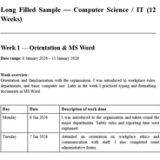
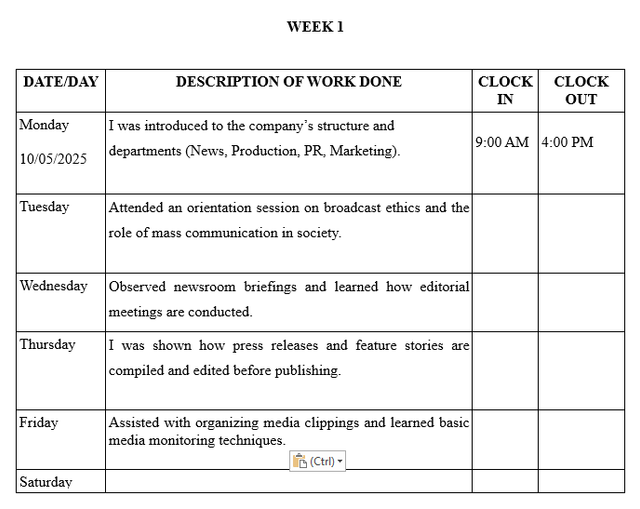
Reported to the organization. No official work was assigned. Observed daily activities and familiarized myself with the work environment.
This is simple, honest, and acceptable.
Should You Leave the Logbook Page Blank?
❌ No.
Leaving pages completely blank raises questions during assessment.
If you were present but inactive, always write something neutral.
How Many “No Work” Entries Are Acceptable?
There is no fixed number, but:
- Avoid repeating the same sentence every day
- Mix observation, familiarization, and light assistance entries
- Keep your entries realistic
If you’re unsure, reviewing filled SIWES logbook examples can help you vary your wording correctly.
How to Avoid This Problem Completely
Instead of worrying about what to write each day, you can generate accurate SIWES logbook entries automatically.
SIWES Logbook by MonoEd helps you:
- Generate realistic daily entries
- Avoid fake or repetitive tasks
- Match your department and training type
- Save time and reduce errors
👉 Generate your SIWES logbook entries automatically with MonoEd SIWES Logbook Generator
Related Guides You May Find Helpful
- How to Fill SIWES Logbook If You Started Mid-Week
- Common SIWES Logbook Mistakes and How to Avoid Them
- How to Fill Your SIWES Logbook Properly for a Good Grade
- How to Fill Your SIWES Logbook as a Computer Science Student (With Practical Examples)
Want to Write Faster? Automate Your Daily Entries
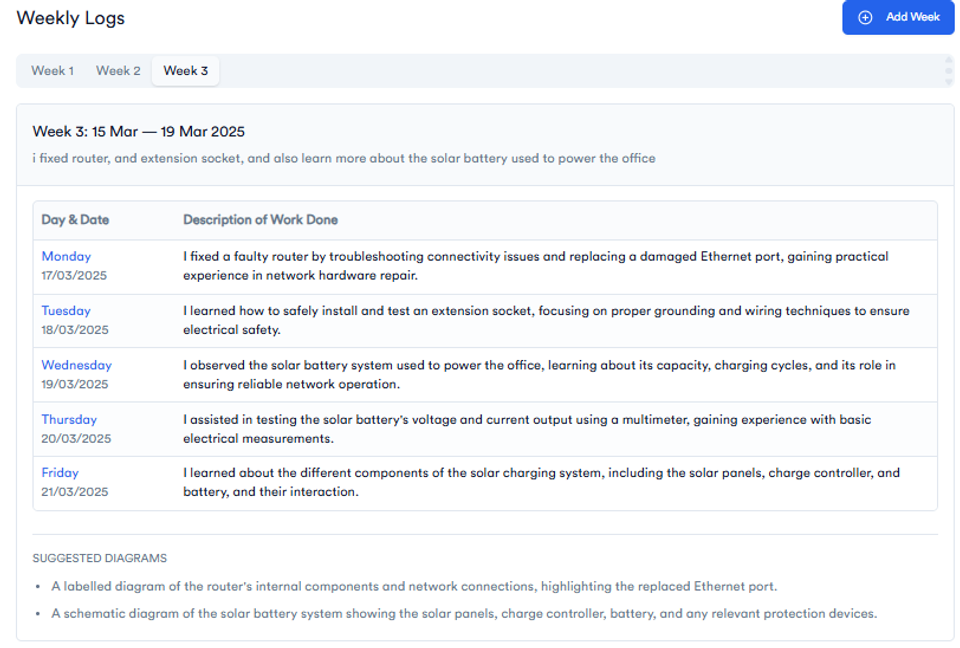
Instead of manually writing your daily entries for 24 or more weeks, you can use MonoEd SIWES logbook generator.
Just type a short weekly summary and get polished Monday to Friday entries instantly.
📘 SIWES Logbook Generator – Instantly create weekly logbook entries.
📑 SIWES Report Draft Generator – Generate a full SIWES report draft in minutes.
🎓 Trusted by 1,000+ Nigerian students.
👉 Try them now and save hours of work.
About the Author
Mohammad-Jamiu B. Balogun, GMNSE
AI Security Researcher · Founder, MonoEd Africa
Mohammad-Jamiu is a First-Class Telecommunications Engineer and Best Graduating Student (BUK), and an AI security researcher. He founded MonoEd Africa to give Nigerian students AI-powered academic tools — from SIWES logbooks to final year projects. His work has reached over 10,000 students across Nigeria.