How to Fill Your SIWES Logbook as a Mass Communication Student (With Examples)
Learn how to fill your SIWES logbook as a Mass Communication student with real examples from radio, TV, and digital media internships. Includes daily entries and writing tips.

If you are a Mass Communication student on SIWES, your logbook should clearly show the media tasks you handled, the tools you used, and the communication skills you developed during your internship.
Whether you worked at a radio station, TV station, newspaper, PR firm, or digital media agency, many students struggle with what exactly to write each day.
This guide shows you how to fill your SIWES logbook properly, with practical Week 1 and Week 2 examples you can adapt to your own experience.
TL;DR (quick answer)
- Write specific media tasks, not vague entries
- Mention tools, platforms, and software used
- Use phrases like “I observed…”, “I assisted…”, “I edited…”
- Include real activities like reporting, editing, or content creation
- Get weekly supervisor signatures
If turning your weekly activities into full entries is difficult, a SIWES logbook generator can help structure them properly.
What is the SIWES logbook?
A SIWES logbook is an official record of your daily industrial training activities, including tasks performed, tools used, and supervisor verification.
For Mass Communication students, it should highlight:
- Media production tasks
- Content creation activities
- Field reporting or newsroom exposure
- Communication and storytelling skills
Supervisors use it to assess how much practical experience you gained.
Tools that can help you write faster
If you already know what you worked on but struggle to write it properly:
- SIWES Logbook Generator — Turns your weekly summary into full Monday–Friday entries
- SIWES Report Generator — Helps you prepare your SIWES report
- SIWES Placement Finder — Helps you find IT placements
Use these as support, but always make sure your entries reflect your real work.
What to write as a Mass Communication intern
Each entry should clearly show what you did that day.
One common mistake is writing general statements like:
- “Worked at the station”
- “Did media work”
Instead, describe the actual activity.
Use professional phrases like:
- I was introduced to…
- I observed…
- I assisted in…
- I edited…
- I participated in…
Also include industry terms where relevant:
- newsroom
- editorial meeting
- scriptwriting
- media monitoring
- field reporting
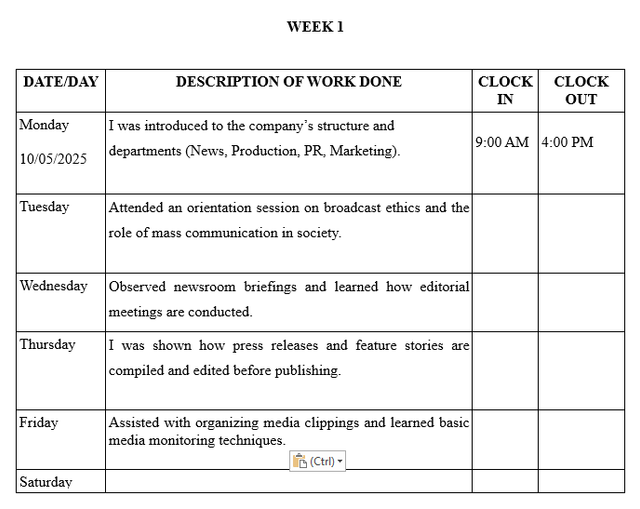
Week 1 logbook example (orientation and newsroom exposure)
| Day | Activities |
|---|---|
| Monday | I was introduced to the company’s structure and departments (News, Production, PR, Marketing). |
| Tuesday | Attended an orientation session on broadcast ethics and the role of mass communication in society. |
| Wednesday | Observed newsroom briefings and learned how editorial meetings are conducted. |
| Thursday | I was shown how press releases and feature stories are compiled and edited before publishing. |
| Friday | Assisted with organizing media clippings and learned basic media monitoring techniques. |
Week 2 logbook example (fieldwork and content creation)
| Day | Activities |
|---|---|
| Monday | Shadowed a presenter during the morning radio program and learned how to handle the mixing console. |
| Tuesday | Edited short news clips using Adobe Premiere Pro and assisted in writing news scripts for voiceovers. |
| Wednesday | Followed a reporter on a field assignment and observed how interviews are conducted. |
| Thursday | Participated in writing social media captions for the station’s platforms. |
| Friday | Learned the basics of sound editing and observed the use of field recorders and microphones. |
SIWES logbook examples for other courses
If you want to compare how other fields structure their entries:
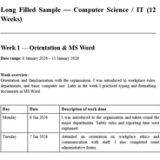
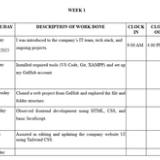
- Computer Science: Step-by-step daily entries covering software, programming, and web development → How to Fill SIWES Log Book for Computer Science
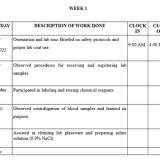
- Science Lab Technology (SLT): Example daily entries on lab tests and procedures → How to Fill SIWES Log Book for Science Lab Technology (SLT)
- Computer Engineering: Step-by-step daily entries covering hardware, networking, and embedded systems → How to Fill SIWES Log Book for Computer Engineering
- Marketing: Campaign tracking, customer engagement, and sales reporting entries → How to Fill SIWES Logbook for Marketing Students
Common tools and software (Mass Communication)
| Tool/Software | Purpose |
|---|---|
| Adobe Audition | Audio editing |
| Adobe Premiere Pro | Video editing |
| Field Recorder | Capturing audio on the go |
| News Template Formats | For writing broadcast scripts |
| Mixing Console | Audio balancing in radio or TV production |
| Microphones | For recording interview |
Only include tools you actually used.
📌 TIP: Include drawing or sketching tools like field recorders, mic setups, or even a radio studio layout in the sketches section of your logbook. This adds practical detail and improves your final grade.
Tips to write a strong SIWES logbook
- Be specific about your daily tasks
- Mention tools and platforms used
- Use clear and simple English
- Show what you learned, not just what you did
- Keep entries neat and consistent
- Get weekly supervisor signatures
In many media organizations, supervisors value clarity and professionalism in how you present your work.
Mistakes to avoid
- Writing vague entries like “worked at the station”
- Copying another student’s logbook
- Skipping tools or software used
- Writing everything at once
- Missing supervisor signatures
Save time without cutting corners
Writing entries every day can be stressful, especially during busy production periods.
A better approach:
- Keep rough notes of your daily activities
- Use a SIWES Logbook Generator to structure them
- Edit to reflect your real experience
- Transfer neatly into your official logbook
This helps you stay consistent without losing accuracy.
FAQs
Can I include social media work in my SIWES logbook?
Yes. Content creation, posting, and analytics are valid media tasks.
Do I need to include technical tools?
Yes. Mention software like Premiere Pro or audio tools where relevant.
What if I mostly observed and didn’t do much?
Observation is valid. Just explain clearly what you learned.
Conclusion
Your SIWES logbook as a Mass Communication student should clearly reflect your media experience.
Focus on:
- what you worked on
- the tools you used
- the communication skills you developed
Keep your entries clear, specific, and properly signed.
About the Author
Mohammad-Jamiu B. Balogun, GMNSE
AI Security Researcher · Founder, MonoEd Africa
Mohammad-Jamiu is a First-Class Telecommunications Engineer and Best Graduating Student (BUK), and an AI security researcher. He founded MonoEd Africa to give Nigerian students AI-powered academic tools — from SIWES logbooks to final year projects. His work has reached over 10,000 students across Nigeria.