How to Use SIWES Finder to Get SIWES IT Placement Fast in Nigeria – Complete Guide for Students
Find verified SIWES IT placements in Nigeria faster using SIWES Finder. Learn how to search by state or course, bookmark organizations, unlock contacts, and apply with confidence.

TLDR (Quick Start)
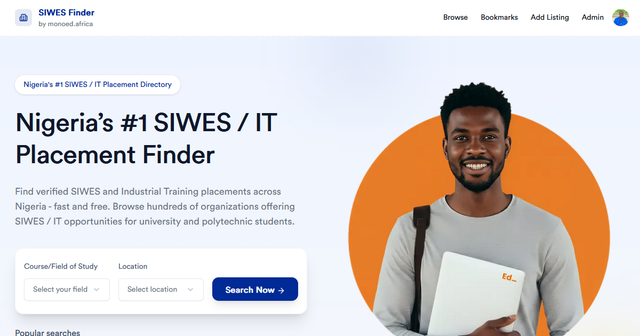
- Visit https://siwesfinder.monoed.africa/
- Use the Course/Field of Study + Location search card to filter placements.
- Apply filters like State, Category, Company Type, and Education Level.
- Click an organization card to View details; sign in to unlock full contact info.
- Bookmark organizations you are interested in for easy access later.
- Prepare your documents and apply directly using the company’s contact details.
⚡ SIWES Tools for Students 🔥
Use our free AI-powered tools to make SIWES easier.
SIWES Report Generator — Generate a formatted SIWES report instantly.
https://report.monoed.africa
SIWES Logbook Generator — Create weekly logbook entries in seconds.
https://logbook.monoed.africa
SIWES / IT Placement Finder — Find verified SIWES & IT placement opportunities.
https://siwesfinder.monoed.africa
📙 Final Year Project Tools 🔥
FYP Report Generator — Generate full project chapters and citations.
https://fyp.monoed.africa
Project Topic Generator — Get supervisor-ready project topics instantly.
https://topics.monoed.africa
Why SIWES Finder is Essential for Nigerian Students
Finding a legitimate SIWES or Industrial Training placement can be stressful.
Many students waste weeks sending emails, visiting offices, or applying to companies that don’t accept trainees.
SIWES Finder by MonoEd solves this problem by providing:
- Verified organizations accepting SIWES students
- Search filters by course, state, company type, and education level
- Easy access to company contacts, websites, and locations
- Bookmarking system to save companies you want to apply to
It’s designed to make your search faster, easier, and more organized.
Step 1: Search by Course and Location
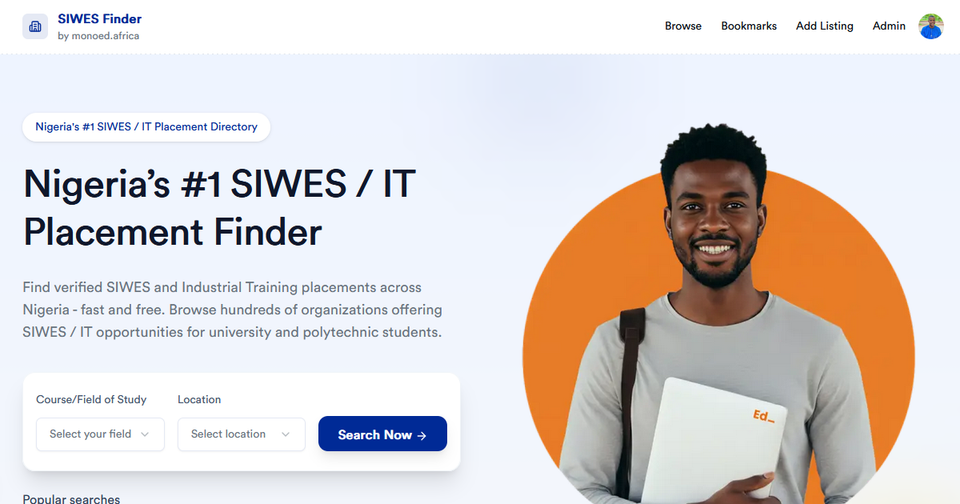
When you land on the SIWES Finder homepage, you’ll see a search box:
- Course or Field of Study – e.g., ICT, Engineering, Business, Mass Communication
- Location (State) – e.g., Lagos, Kano, Rivers, Enugu
Click Search Now to get a list of companies that match your selection.
🎯 Pro Tip: Using both course and state ensures results are highly relevant.
Step 2: Apply Filters to Narrow Results
After searching, you can refine results using filters:
| Filter | Why It Matters |
|---|---|
| State | Find companies close to you |
| Category Field of study | Matches your department |
| Company Type | Government, Private, NGO, Startup |
| Open To | ND, HND, Degree, Open to All |
| Sort By | Newest, Highest Rated, A–Z etc |
Filters save time and reduce the chance of applying to irrelevant companies.
Step 3: Explore Organizations
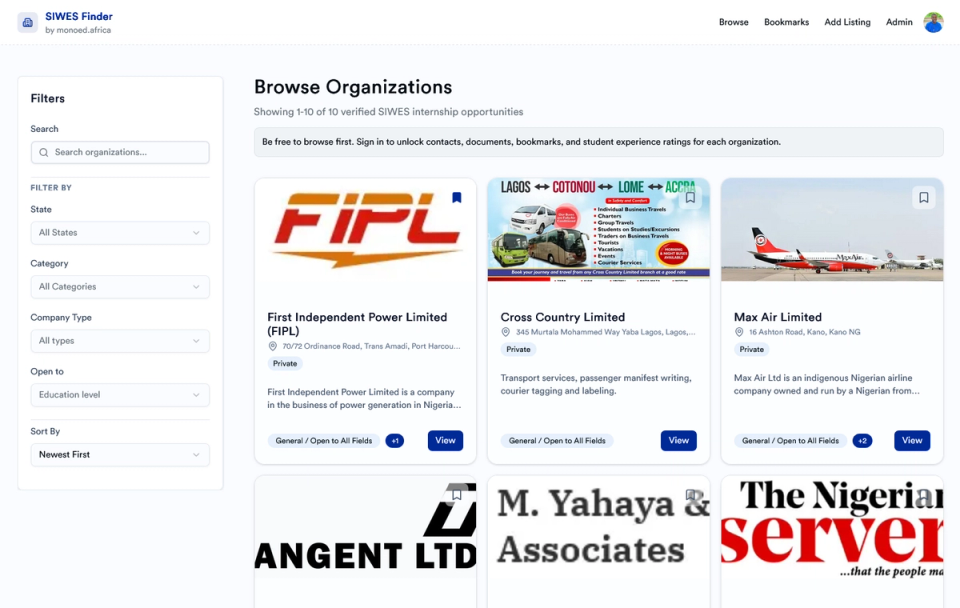
Each organization is displayed as a card with:
- Company name
- Short description
- Accepted fields
- Primary location
- Rating (if available)
- View button for details
Click View to see full information:
- Company overview
- All branch locations
- Contact email and phone (for logged-in users)
- Required documents (verified listings)
- Similar organizations
Note: Non-logged-in users see only basic info; full contact info requires signing in.
Step 4: Bookmark Companies You Like
Click Bookmark to save organizations for later:
👉 https://siwesfinder.monoed.africa/bookmarks
Bookmarks help you:
- Keep track of companies you are interested in
- Return to the organization when ready to apply
- Access contacts and location info quickly
Current system does not auto-track applications. Future updates will include auto-apply and employer integration.
Step 5: Apply With Your Documents Ready
Most organizations require:
- CV or Resume
- School Introduction Letter
- SIWES Application Letter
- Any additional company-specific documents
MonoEd provides free tools to make this easier:
CV / Resume Maker - Create a professional CV quickly
SIWES Logbook Generator - Generate weekly logbook entries
SIWES Report Generator - Create editable SIWES reports
👉 Access more tools here: https://monoed.africa/tools
Tips for a Successful SIWES Search
- Apply to at least 5–10 organizations you bookmarked
- Start applying 2–3 months before your SIWES starts
- Use a well-formatted CV and application letter
- Follow up politely with companies if you don’t hear back in 5–7 days
FAQ
Q1: Is SIWES Finder free to use?
Yes. Searching, bookmarking, and accessing tools is completely free.
Q2: Does SIWES Finder guarantee placement?
No. SIWES Finder lists verified opportunities, but final acceptance is up to the company.
Q3: Can I rate an organization?
Yes. Ratings and feedback are submitted after completing your placement.
Q4: Can I filter by education level?
Yes. Use the “Open To” filter to view placements for ND, HND, University, or Open to All.
Q5: How can I suggest a new organization?
Use the Add Listing feature: https://siwesfinder.monoed.africa/add-listing. Our team reviews new submissions.
Q6: Which documents do I need to apply?
Typically: CV, School Intro Letter, Application Letter, and any company-specific documents if listed.
Start Your SIWES Journey Today
Don’t waste time searching manually. Start finding verified SIWES placements online.
- Browse Organizations: https://siwesfinder.monoed.africa/organizations
- Bookmark Companies: https://siwesfinder.monoed.africa/bookmarks
- Use Free Tools: https://monoed.africa/tools
Save time, stay organized, and increase your chances of getting the best placement.
About the Author
Mohammad-Jamiu B. Balogun, GMNSE
AI Security Researcher · Founder, MonoEd Africa
Mohammad-Jamiu is a First-Class Telecommunications Engineer and Best Graduating Student (BUK), and an AI security researcher. He founded MonoEd Africa to give Nigerian students AI-powered academic tools — from SIWES logbooks to final year projects. His work has reached over 10,000 students across Nigeria.