How to Fill SIWES Logbook in Nigeria (2026 Complete Guide + Daily Examples)
Learn how to fill your SIWES logbook correctly in Nigeria with step by step guidance, full page breakdown, daily examples, and tools to write faster and avoid mistakes.

If you are currently on SIWES, your logbook is one of the most important parts of your training.
It is what your school and supervisor will use to assess your performance, your consistency, and what you actually learned during your industrial attachment.
Many students lose marks not because they did nothing, but because their logbook is vague, incomplete, or poorly written.
This guide shows you exactly how to fill your SIWES logbook correctly from the first page to the last, with clear examples and practical tips you can follow regardless of your course.
Quick Answer: How to Fill SIWES Logbook
- Write your daily activities clearly from Monday to Friday
- Include specific tasks, tools used, and what you learned
- Keep rough notes daily and transfer neatly into your logbook weekly
- Add diagrams or sketches where required
- Get your supervisor’s signature every week
If you follow these steps consistently, your logbook will be accepted and properly graded.
If writing detailed entries every week feels stressful, tools like a SIWES logbook generator can help you structure your activities properly.
What is a SIWES Logbook and Why It Matters
A SIWES logbook is an official record of your industrial training activities.
It shows:
- what you did each day
- what you learned
- the tools, machines, or systems you used
- confirmation from your supervisor
In many Nigerian schools, your SIWES logbook carries significant marks, sometimes as much as your final report.
Full Breakdown of SIWES Logbook Sections
Understanding each section helps you avoid mistakes.
1. Student Information Page
Fill in:
- full name
- matric number
- course and department
- institution
- passport photograph
2. Organization Details Page
Include:
- company name
- address
- nature of business
- supervisor’s name
3. Daily Activities Record Page
This is the most important section.
You will record:
- daily tasks
- time in and time out
- tools used
4. Weekly or Monthly Summary
Summarize:
- what you learned
- tasks completed
- skills gained
You can also include diagrams or sketches.
5. Supervisor Comment Page
Your supervisor may:
- write remarks
- sign and stamp
6. Attendance Register
Shows your presence at work.
Example:
5/5 means full attendance
4/5 means one day absent
7. School or ITF Supervisor Page
This is filled during visitation. Do not fill it yourself.
Step by Step Guide to Filling Your SIWES Logbook
Step 1: Keep a daily jotter
Do not rely on memory.
Write down:
- tasks performed
- tools used
- observations
Then transfer into your logbook weekly.
Step 2: Write specific entries
Avoid vague writing.
Bad:
Worked on computer
Better:
Assisted in designing a responsive login page using HTML and CSS
Step 3: Use professional language
Use clear phrases like:
- I observed ...
- I assisted in ...
- I developed ...
- I tested ...
- My Supervisor showed me ...
- I learnt ...
Step 4: Mention tools and processes
Always include tools such as:
- software
- machines
- lab equipment
Step 5: Add diagrams when necessary
Especially for technical courses.
Step 6: Get weekly supervisor signature
This is very important. Missing signatures can cost you marks.
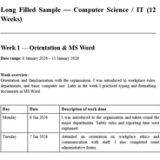
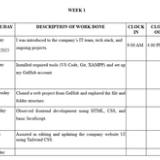
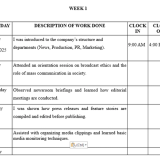
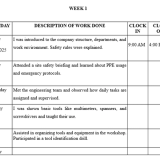
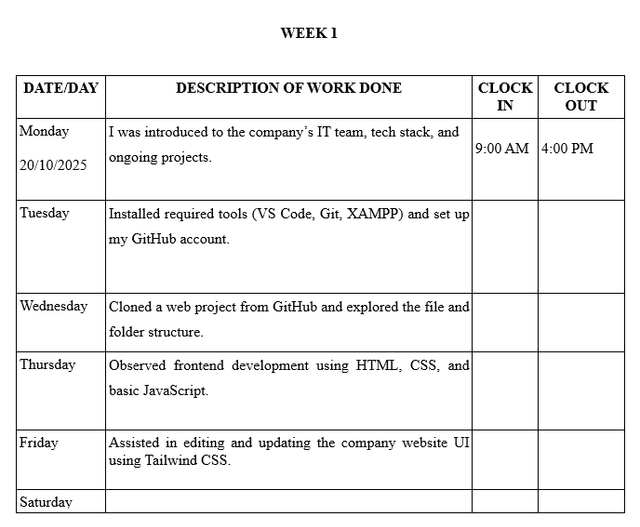
Week 1 SIWES Logbook Example
| Day | Activities |
|---|---|
| Monday | I was given an orientation and an introduction to the company structure |
| Tuesday | I Observed operations and workflow |
| Wednesday | Assisted in basic tasks under supervision |
| Thursday | Practiced using tools or systems |
| Friday | Weekly review and supervisor signature |
Course Specific Examples
Computer Science
For detailed entries, read:
How to Fill Your SIWES Logbook as a Computer Science Student
Example:
Developed a login form using HTML and CSS and tested validation.
Engineering
Read:
How to Fill Your SIWES Logbook as an Engineering Student
Example:
Tested electrical circuits using a multimeter and assisted in wiring installation.
SLT
Read:
How to Fill Your SIWES Logbook as an SLT Student
Example:
Performed urinalysis using dipstick method and recorded results.
Special Situations Students Face
If you had no work:
Read
What to Write in SIWES Logbook When No Work Was Done
If you started mid week:
Read
How to Fill SIWES Logbook If You Started Mid Week
Tools That Can Help You Write Faster
If you already know what you worked on but struggle to turn it into clean, professional entries, using the right tools can save you a lot of time.
Instead of staring at your logbook trying to phrase everything perfectly, you can structure your work faster and then refine it in your own words.
Here are the most useful tools:
SIWES Logbook Generator
Use the SIWES Logbook Generator
This tool helps you turn a simple weekly summary into complete Monday to Friday entries.
How it helps:
- converts rough notes into structured logbook entries
- uses proper academic tone
- saves hours of writing every week
Best workflow:
Write what you did during the week in simple points, generate entries, then edit to match your actual work before copying into your logbook.
SIWES Report Generator
Use the SIWES Report Generator
After your logbook, you will still need to write your SIWES report.
This tool helps you:
- generate a full structured report
- organize your experience properly
- format it into a clean document
SIWES Placement Finder
Use the SIWES Placement Finder
If you have not secured placement or want a better one, this helps you:
- find verified SIWES opportunities
- explore companies accepting students
- save time searching manually
These tools should support your writing, not replace your real experience. Always make sure your entries reflect what you actually did.
Common Tools and Technologies to Mention
Depending on your field:
- VS Code, Git, Postman
- MS Word, Excel
- Multimeter, torque wrench
- Microscope, centrifuge
Only include what you actually used.
Mistakes That Will Make You Lose Marks
- Writing everything at once
- Using vague words like “worked”
- Copying another student’s logbook
- Missing supervisor signatures
- Using correction fluid
Other SIWES Guides You Should Also Read
To go deeper, explore:
- How to Fill Your SIWES Logbook Properly for a Good Grade
- Filled SIWES Logbook for Computer Science Students
- How to Fill SIWES Logbook for Biochemistry Students
- How to Fill SIWES Logbook for Marketing Students
These give more detailed, course specific examples.
FAQs
Can I fill SIWES logbook weekly instead of daily
Yes, but only if you kept rough notes. Writing from memory leads to poor entries.
What happens if my supervisor does not sign my logbook
You may lose marks or your logbook may be rejected.
How detailed should entries be
Detailed enough to show tasks, tools, and learning.
Can I type and print my SIWES logbook
Most schools require handwritten entries unless told otherwise.
What should I write if no work was given
You can write observations, training sessions, or what you learned from watching others.
Conclusion
Your SIWES logbook is proof of your learning and experience.
To do it correctly:
- be consistent
- be specific
- keep it neat
- get proper signatures
If you follow this guide, you will not only complete your logbook properly, you will stand out and score high.
About the Author
Mohammad-Jamiu B. Balogun, GMNSE
AI Security Researcher · Founder, MonoEd Africa
Mohammad-Jamiu is a First-Class Telecommunications Engineer and Best Graduating Student (BUK), and an AI security researcher. He founded MonoEd Africa to give Nigerian students AI-powered academic tools — from SIWES logbooks to final year projects. His work has reached over 10,000 students across Nigeria.